Most Pinterest pins don’t fail because of bad design. They fail because they don’t give people a reason to click. You can post consistently. You can make things look “pretty.” But if your pin doesn’t communicate a clear outcome in seconds, it gets ignored.
In this guide, you’ll learn 10 proven Pinterest pin templates built to get clicks — not just impressions.
These are formats you can replicate in Canva, even if you’re not a designer.
If you’re serious about getting traffic from Pinterest, don’t design from scratch every time.
Use proven formats.
Save time.
Stay consistent.
Why your Pinterest pins aren’t getting clicks
Outdated layouts
I know it’s tempting to copy the pins of successful bloggers. After all, if it’s brought thousands of traffic to their blogs then it must work for yours too, right?
Not really.
Remember that these pins coming up in the Pinterest feed have been circulating for months, some even years. The latter is the trap.
It may have succeeded for them but it doesn’t mean it’s right for your content or the ‘voice’ of your blog. And more importantly, what was on design trend 6 months ago, might not trigger a click or save in real time.
Clarity is the new design
I was convinced that thoughtful design would stand the test of algorithm time, but I was wrong.
Not too long ago, I learned that bold clarity was the visual technique that made pins saveable and clickable.
There’s nothing wrong with minimalist, clean layouts, but you need to ensure that the message is not ambiguous in content or visual representation.
So, yes, choose a thoughtful font but make it large and eye-catching in the feed amid the visual noise.
Or, make sure the message is so attention-grabbing in it’s clarity that the user knows exactly what they’re getting – good sentence construction, personality and intelligent communication will be your strongest asset here.
10 Pin Templates That Actually Get Clicks
Here are 10 Pinterest pin templates that consistently drive clicks.
Each one is built around a specific user trigger — curiosity, clarity, contrast, or utility.
You don’t need to use all of them.
But if you rotate these formats, you’ll stop guessing what works — and start seeing consistent engagement.
Pin 01 — Big Benefit Headline
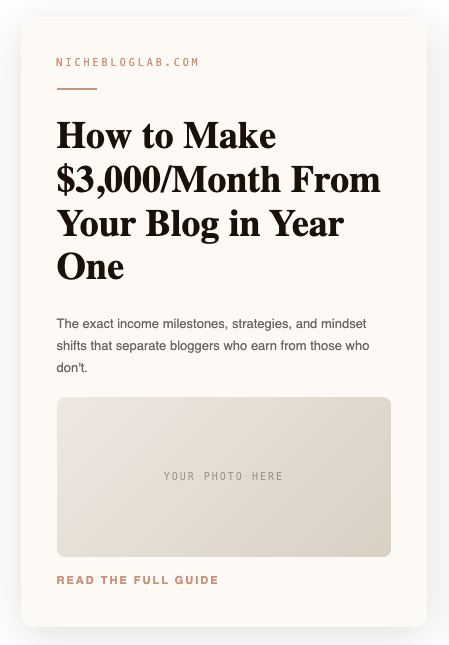
Style: Light & Airy · Text-Led
Example copy:
“How to Make $3,000/Month From Your Blog in Year One
The exact income milestones, strategies, and mindset shifts that separate bloggers who earn from those who don’t.
→ Read the full guide”
👉 Use this when:
Your post promises a specific outcome. Numbers make it concrete and scannable.
Pin 02 — List / Number Pin
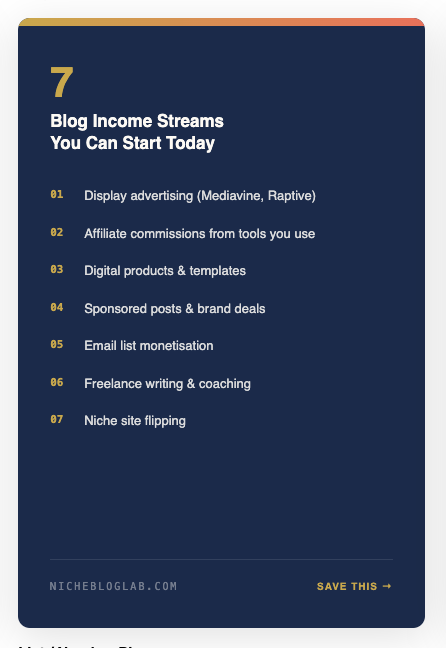
Style: Bold & Graphic · High-Save
Example copy:
“7 Blog Income Streams You Can Start Today”
👉 Use this when:
You want to stop the scroll. Numbers naturally increase saves because people want to come back later.
Pin 03 — Before / After
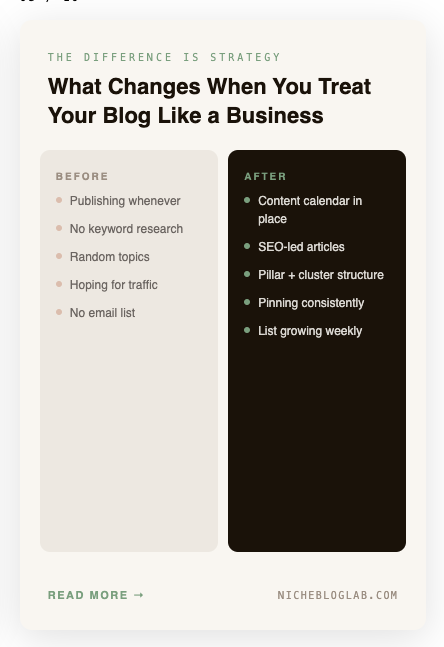
Style: Split Panel · Transformation
Example copy:
“The difference is strategy
What Changes When You Treat Your Blog Like a Business
→ Read more”
👉 Use this when:
You want instant recognition. People see themselves in the “before” and want the “after.”
| Before | After |
|---|---|
| Publishing randomly | Content calendar in place |
| No keyword research | SEO-led articles |
| Random topics | Structured content |
| No traffic | Consistent pinning |
Pin 04 — Quote / Tip Pin
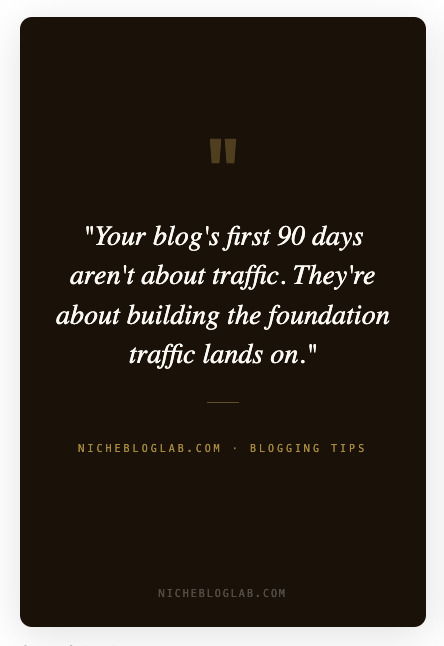
Style: Minimal Dark · Brand Voice
Example copy:
“Your blog’s first 90 days aren’t about traffic. They’re about building the foundation traffic lands on.”
👉 Use this when:
You want to build authority and get saves. These feel shareable and memorable.
Pin 05 — Step-by-Step
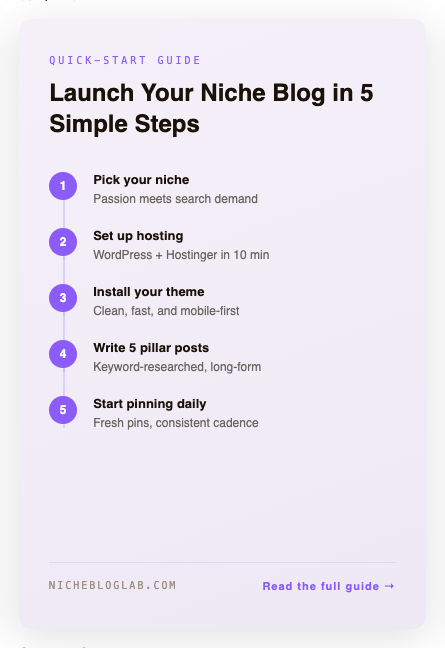
Style: Tutorial · Action-Based
Example copy:
“Launch Your Niche Blog in 5 Simple Steps”
👉 Use this when:
You want users to feel “I can actually do this.” Structured steps increase click-through.
Don’t overthink design. Use what already works.
Pin 06 — Freebie / Lead Magnet
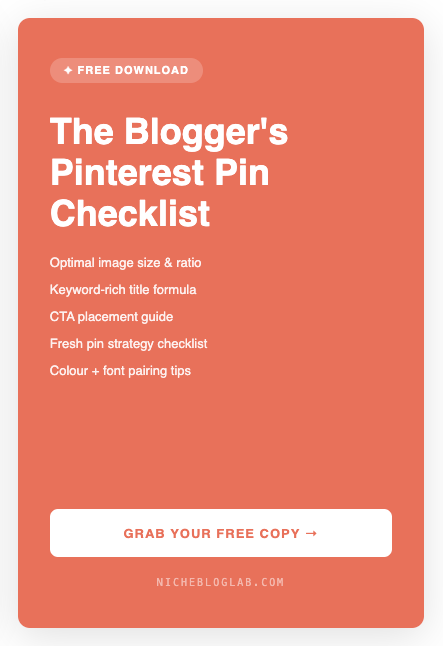
Style: Bold · High-CTR
Example copy:
“✦ Free Download
Pinterest Pin Checklist”
👉 Use this when:
You want immediate clicks. “Free” + checklist = instant perceived value.
Pin 07 — Editorial Photo + Text
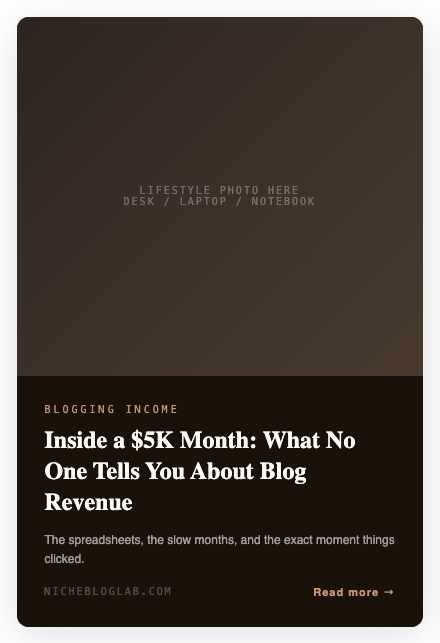
Style: Human · Story-Led
Example copy:
“Inside a $5K Month: What No One Tells You About Blog Revenue”
👉 Use this when:
You’re tapping into curiosity or real-life experience. Great for storytelling posts.
Pin 08 — Minimal Text-Only
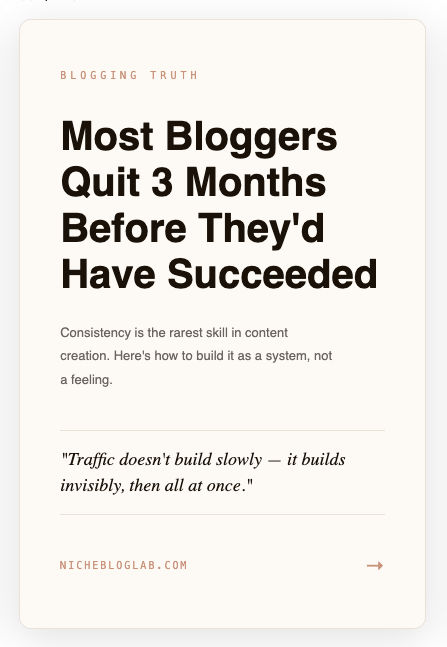
Style: Clean · Authority
Example copy:
Most Bloggers Quit 3 Months Before They’d Have Succeeded
👉 Use this when:
The message is strong enough to stand alone. No image needed.
Pin 09 — Stats / Data Pin
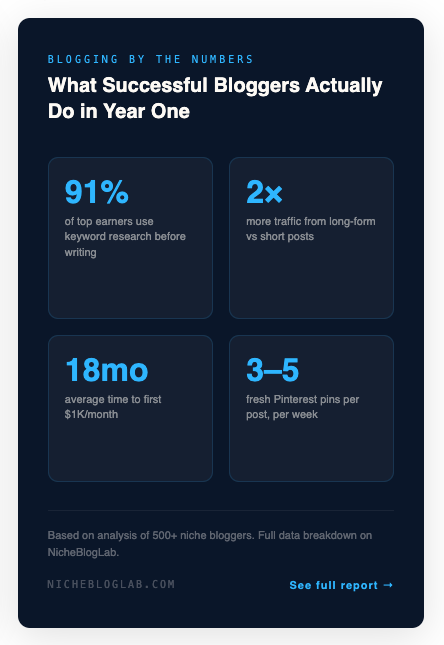
Style: Data-Led · Trust-Building
Example copy:
“What Successful Bloggers Actually Do in Year One”
👉 Use this when:
You want credibility fast. Numbers build trust instantly.
Pin 10 — Problem / Solution
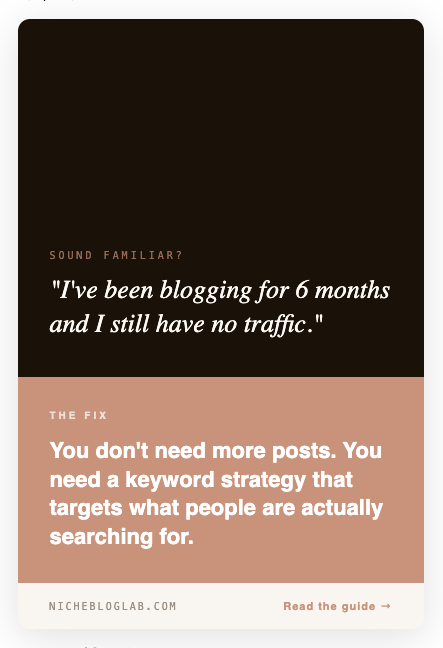
Style: Empathy-Led · Conversion Focused
Example copy:
“I’ve been blogging for 6 months and still have no traffic.”
The fix: A keyword strategy that targets real searches
👉 Use this when:
You want clicks from pain points. This format converts extremely well.
If you’re serious about getting traffic from Pinterest, stop designing from scratch.
Use proven templates.
Stay consistent.
Get results faster.
These 10 pin templates give you the visual formula to copy into your own templates. The Copy Vault gives you what to write on it — 25 fill-in-the-blank headline formulas across all 10 pin template types, with 50+ examples written for bloggers and the conversion psychology behind each one.It’s free. It’s a PDF. And it’s the thing I wish I’d had every time I sat down in Canva with a blank pin and no idea what to say. Get the Pinterest Pin Copy Vault →
Conclusion
Clarity is what gets the click.
Not trends.
Not aesthetics alone.
If your pin clearly communicates what someone will get, it will outperform “pretty” every time.
Use these templates as your foundation.
Don’t overthink it — just stay consistent and let the formats do the work.
You don’t need more ideas.
You need speed and repetition.


